

Using AI for Support Plans, Forms and Paperwork
Using AI for Support Plans, Forms and Paperwork

About this article
If you work in community or support services, you know the feeling: you finish a shift and then have to write it up. Support plans, funding applications, progress notes — sometimes it can feel like you spend more time writing about support than actually providing it.
This article shows practical ways AI tools like ChatGPT can help you get a solid first draft done in a fraction of the time, so you can spend more of your day focused on the people you support. AI isn't here to replace your judgement — it's here to take some of the strain off the paperwork.
Contents:
This page covers the same core information as our AI for Support Plans and Forms video [coming soon]. Making information accessible matters to us, so we've shared this content in different formats.
Reading time: Approx 8 minutes.
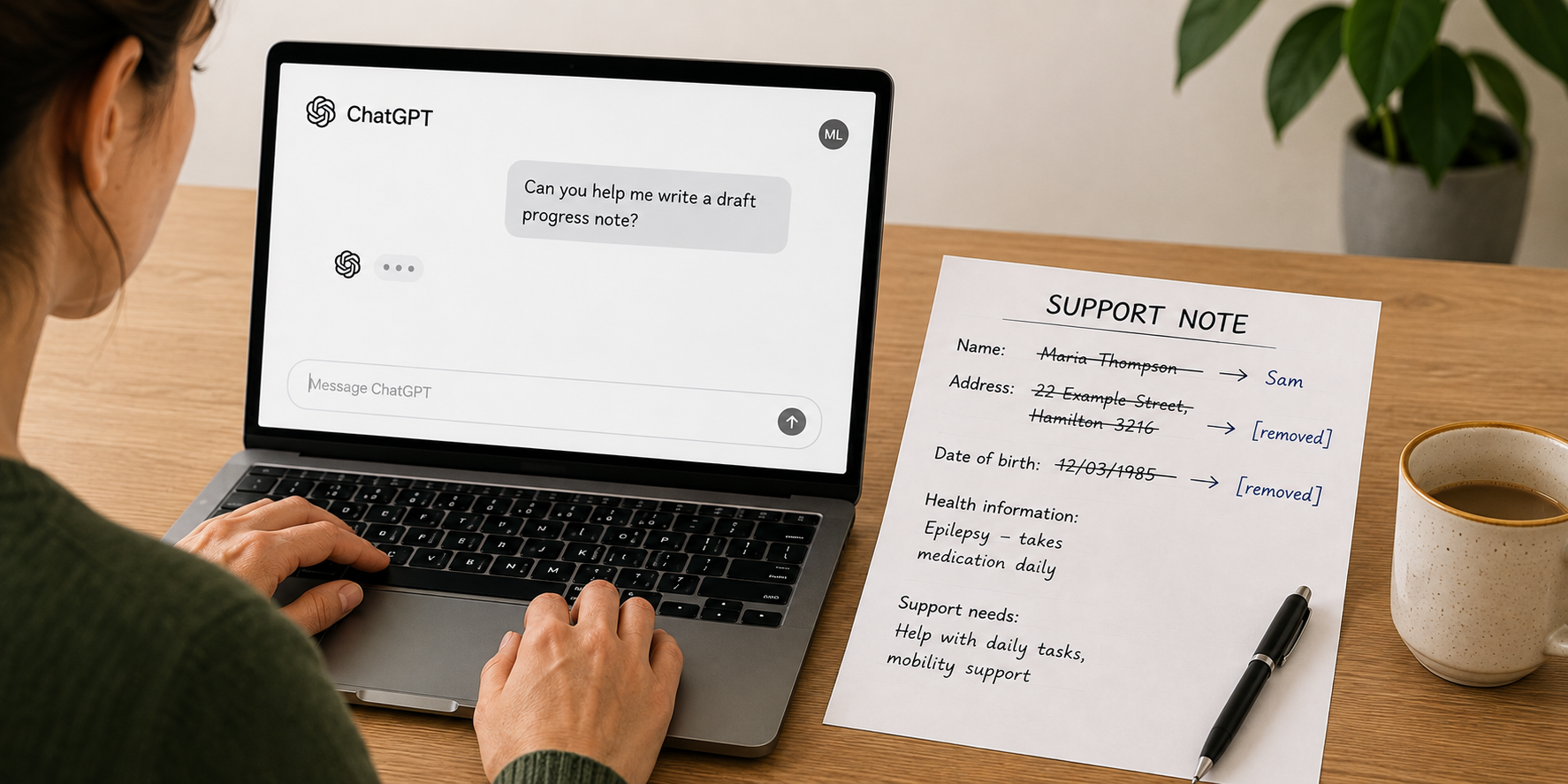
Before we start: one golden rule
Never enter real identifying information about the people you support into a public AI tool like ChatGPT, unless your organisation has approved a privacy-compliant version.
That means no full names, or first names combined with disability information, no addresses, and no sensitive health details from real support plans.
Throughout this article we'll use a fictional person called Sam. When you try any of this yourself, either use a pseudonym like we do, or remove identifying details first and add them back in once you're happy with the draft. For more on this, see Risk 3: AI has serious privacy risks in our How to stay safe with AI article.
Drafting a support plan
Let’s start with a simple support plan example.
To get help from ChatGPT, you give it a prompt. A prompt is an instruction, question, or information that tells ChatGPT what you want it to do.
The example below only includes a small amount of information, so the plan ChatGPT creates will be quite general. In real life, you can include much more detail about the person—their strengths, preferences, goals, communication, routines, culture, relationships, and the support that works well for them. The more useful context you provide, the more relevant the draft is likely to be.
Here is a simple prompt to show what this can look like:
"Please write a person-centred support plan for Sam. Sam is 34 years old and has cerebral palsy. He communicates using a speech generating device and needs support with personal care, meal preparation, and getting to work three days a week. Sam's goals are to learn to cook two meals independently, to increase his confidence in the community, and to eventually move into his own flat. His support workers are Anna and Bob."
The video below shows ChatGPT using this prompt to create a first draft:
Note for screen reader users: This video is silent. A description is provided below. Some videos on this page open inside a YouTube player with several controls. If you become stuck inside the player, look for an option such as “Hide player control buttons” to collapse the controls and continue through the page.
Alt text: Screen shows ChatGPT. The prompt from above the video is pasted in and ChatGPT starts to generate a plan for Sam.
Within a few seconds, ChatGPT produces a full draft with sections for background, goals, daily routines, communication needs and more. It won't be perfect, and you'll need to read it carefully — but it gives you a really strong starting point.
And this isn't just for support workers. People receiving support can use AI the same way to draft their own plans, think through goals, and prepare for planning meetings.

What else AI can help with
Support plans are just one example. AI can give you a useful first draft for lots of documentation, including:
support plans and goal-setting documents
Enabling Good Lives (EGL) plans
funding applications
progress notes and shift summaries
"About Me" profiles
handover documents for new staff
AI won't do any of this perfectly on its own — you still need to review everything carefully before it goes anywhere. But as a starting point, it can save a huge amount of time.
More structured forms (like EGL plans)
Some documents have specific questions that need to be answered in a particular way — an Enabling Good Lives plan is a good example.
For this kind of work, we recommend using a secure AI tool so you can safely upload real information. You can then give the AI a few things at once — for example: a referral, your meeting notes, and the blank EGL template — and ask it to fill in the plan for you.
A prompt might look like this:
"Using the information I've uploaded, please answer the questions in the EGL plan for Sam. Focus on Sam's vision for a good life, his strengths, and what support will help him achieve his goals."
The AI reads through everything you've given it and works through each question, drawing on your notes and writing in a person-centred style.
The video below shows what this looks like on ChatGPT.
Note for screen reader users: This video is silent. A description is provided below.
Alt text: Screen shows ChatGPT. The EGL Template, Sam’s DSS referral information and meeting notes are added to the chat. The prompt from earlier is pasted in. A few seconds later ChatGPT starts to create the EGL plan.
A tip to make this even easier:
If you often complete the same kind of form, you can set up a Custom GPT that already knows the EGL guidelines, funding requirements from places like ACC or DSS, and your organisation's preferred style. That way you don't have to explain everything from scratch every time. We have a separate video and written piece on how to set those up [coming soon].
Ask AI to review what you've already written
AI isn't just for drafting — it can also give you feedback on your own writing.
Say you've written a progress note about a shift with Sam. You can paste it in, upload the file, or share a photo of hand-written notes and ask:
"Please review this progress note and tell me what I've done well and where I could improve it. Check that it is person-centred, clearly describes what happened during the shift, and notes any important observations."
The feedback comes back within seconds, and it's a great way to sharpen your writing over time.
The video below demonstrates what this looks like on ChatGPT.
Note for screen reader users: This video is silent. A description is provided below.
Screen shows ChatGPT. The prompt from above is pasted in, as well as the person’s progress note. A few seconds later ChatGPT provides feedback on where the note is strong and where it could be improved.

Dictate on the go
Many people find talking easier than typing. Most large language models — including ChatGPT — have a microphone icon that turns on dictation. The image below shows what the dictation icon looks like:

Most LLM’s have a dictation function with an icon that looks like this.
To use the dictation function, simply tap the icon and start talking. When you are finished talking, just tap the stop button and the AI will convert your spoken words into text.
This feature can be very handy for writing shift summaries. For instance, you could say:
"I just finished a shift with Sam. We worked on cooking pasta. He enjoyed chopping vegetables with minimal support, which is a new skill so he's really proud of that. He got a bit frustrated while waiting for the sauce to cook, but redirected well. Overall it was a positive shift. Please turn this into a professional progress note."
The AI tool will turn your rough notes into a polished progress note. Read it carefully, make any changes needed, and then copy it into your work system.
The video below demonstrates Ollie using this feature on ChatGPT.
Video description: Ollie is talking looking at the camera. Next to him on the screen it shows a phone with ChatGPT open. Ollie demonstrates how the dictation function works.

Important things to keep in mind
Before you use AI for any of this, a few things really matter.
1. Protect privacy. Never put real identifying information about the people you support into a public AI tool like ChatGPT unless your organisation has approved a privacy-compliant version. Use pseudonyms (false names) or remove identifying details first and add them back in once the draft is finished. For more, see Risk 3: AI has serious privacy risks in our How to stay safe with AI article.
2. Always read what the AI produces. AI can get things wrong. It might misrepresent a goal, use the wrong pronoun, or add something that doesn't accurately reflect the person. It can also fill in gaps with assumptions when it doesn't have enough information. That’s why it’s important to check that what it writes accurately reflects what you want to say.
3. Check your organisation's rules. Make sure your organisation knows you're using AI tools and has guidance or policies in place. There may be rules you need to follow.
Tips for better results
A few small habits will make a big difference to what AI gives you back.
Give it plenty of context. Tell the AI who the document is for, what tone you want (professional, plain language, warm, formal), and what the document is for. A person-centred support plan and a funding application need quite different writing styles. Sharing examples of previous plans or applications is especially useful.
Show the AI what good looks like. If you have an old plan or form that worked well, you can upload it as an example, with identifying details removed. Then ask the AI to use it as a guide for the style, structure, and level of detail you want.
Follow up instead of starting over. If the first response isn't quite right, just reply to it. For example: "Can you make this more person-centred?" or "This section is too long — can you shorten it?"
Start a new chat if it keeps getting something wrong. If the AI locks onto a mistake and won't let it go, it's usually faster to open a fresh chat than to keep correcting it.
Anonymise before you paste. We’ve said this a few times but it’s important so is worth repeating - remove real names and identifying details before entering anything into a public AI tool.
Back up your prompts and set-up documents. If you've spent time crafting a great prompt or uploading reference documents, keep a copy somewhere safe in case something goes wrong.


The Bottom Line
Used carefully and thoughtfully, AI can take a lot of the strain out of support documentation — freeing you up to spend less time on paperwork and more time focused on the people you support.
If you'd like help setting up AI tools for your organisation — including building Custom GPTs or Projects tailored to your specific forms and funding requirements — get in touch. We'd love to hear from you.
Continue learning
Explore these related guides to build your confidence using AI tools safely and effectively.


Stay Updated
More AI guides, videos, and practical resources are coming soon.
This article was written by our team, with support from AI. The ideas, analysis, and final decisions are our own. We reviewed the information carefully before publishing, because AI can make mistakes.

Supported by the Workforce Futures Fund |Tahua Rāngaimahi Anamata